
What`s new in DIALux evo 14?
Innovations and improvements
We are happy to present the new version of DIALux evo. Our team has worked hard to make major improvements that will enhance your lighting design experience, making it more efficient and saving you valuable time.
DIALux evo 14
Version: 5.14.2.0 | Released: 23/04/2026
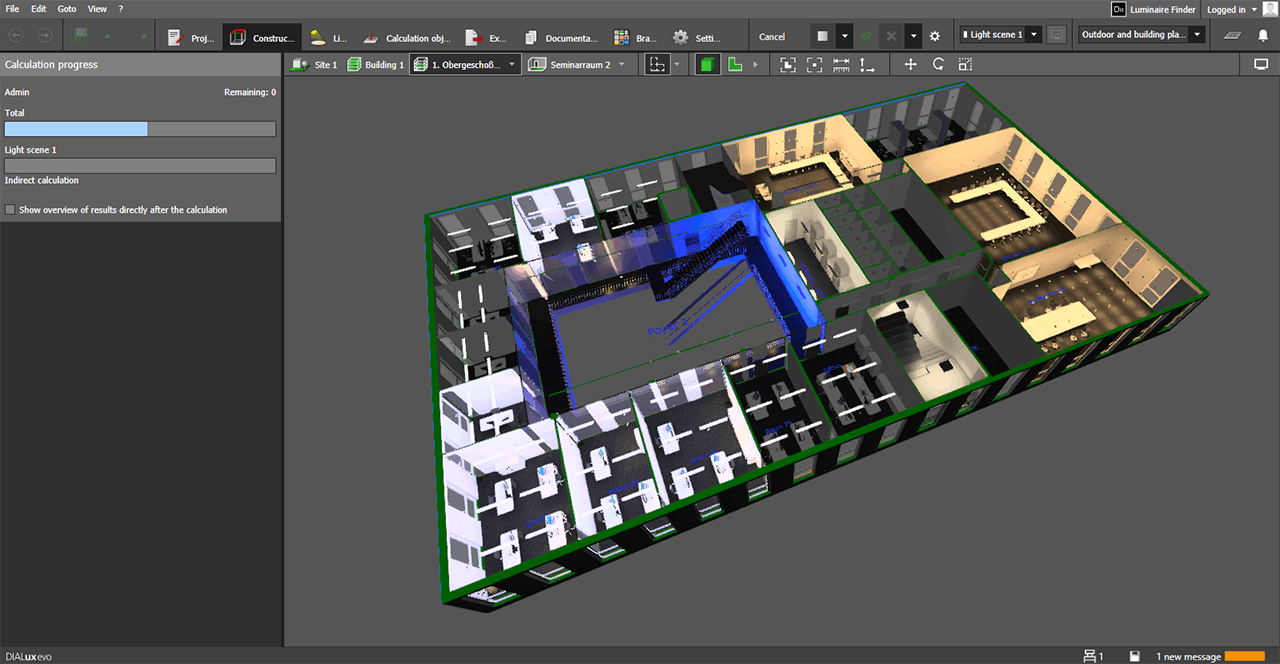
New calculation method "room-by-room"
- Rooms or spaces are calculated independently of each other.
- Partial results can be added or subtracted.
- Each luminaire is only taken into account once in the overall result per lighting scene.
- Results that have already been calculated are retained and do not need to be recalculated.
- There is no exchange of light between separately calculated rooms or spaces.
- Particularly suitable for large projects as well as for targeted partial calculations of individual rooms or spaces.
- Enables quick calculation and targeted review of the results of individual rooms and spaces.
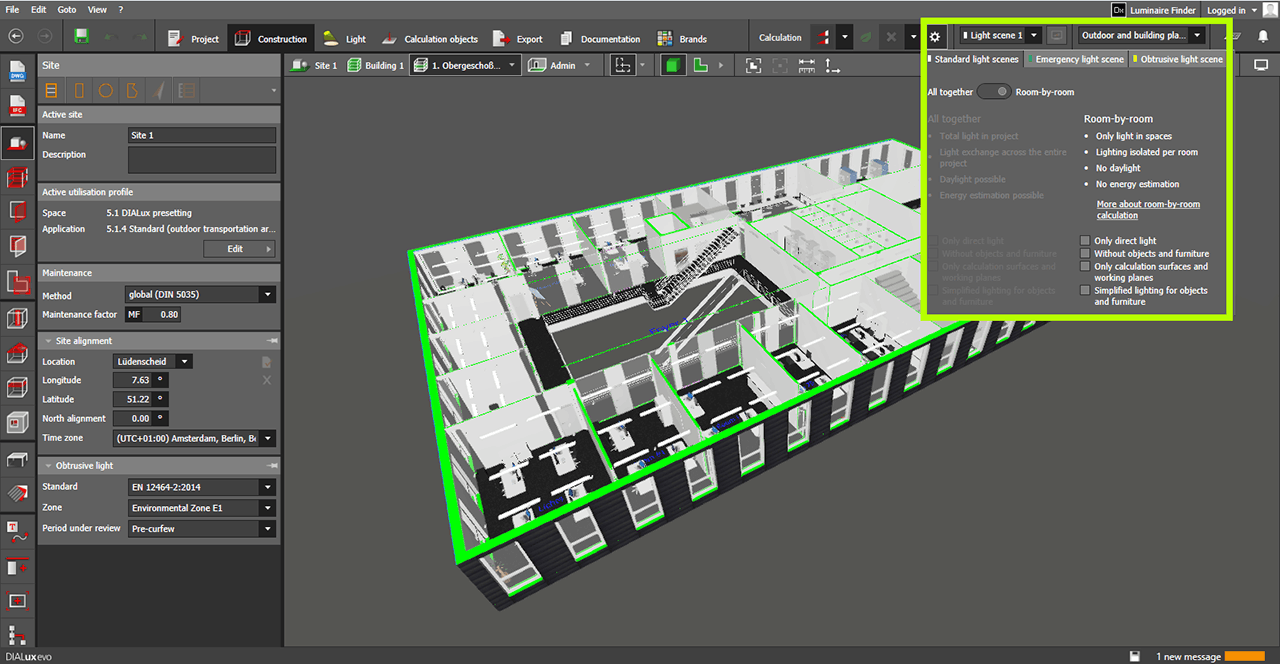
Calculation settings
- In the calculation settings, it is possible to switch between the normal method and room-by-room
- Here you will find a link to a detailed description of the calculation method in the Knowledge Base.
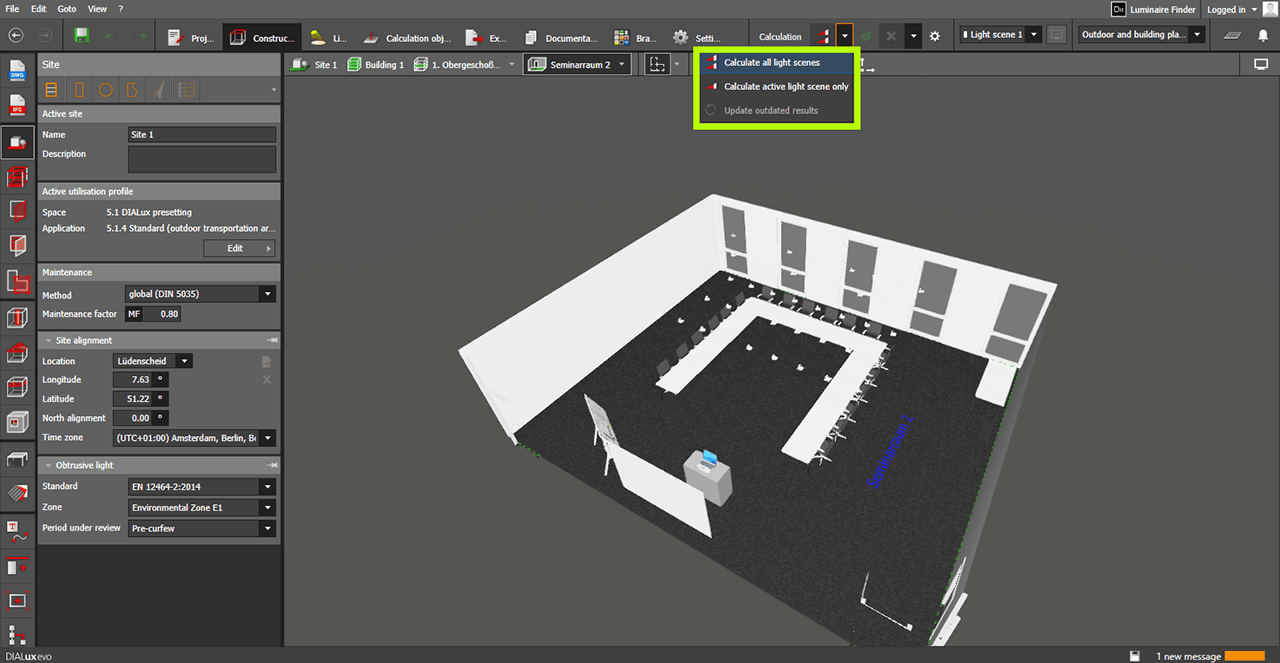
Calculation of multiple rooms and spaces
- When you start the calculation via the Calculate button, all rooms and spaces of the current view are calculated.
- Optionally, only the current light scenes or all light scenes can be calculated.
- Outdated results can be updated together with one calculation.
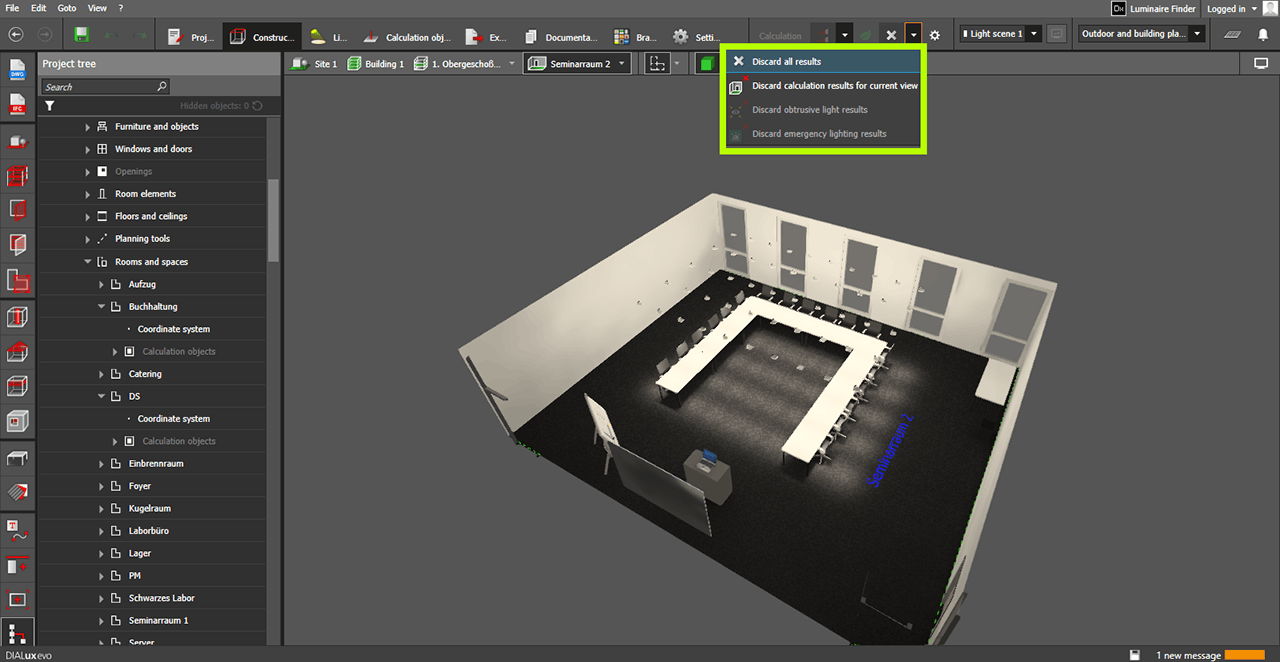
New option "Discard results"
- All or individual results can be deleted separately.
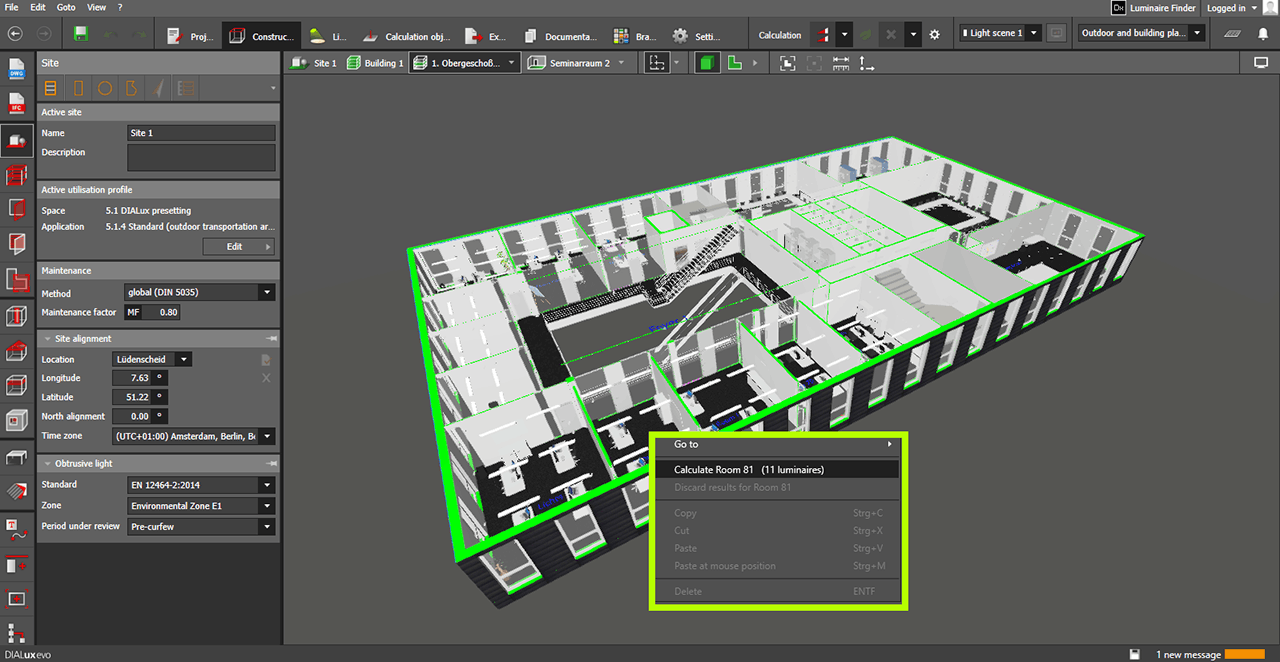
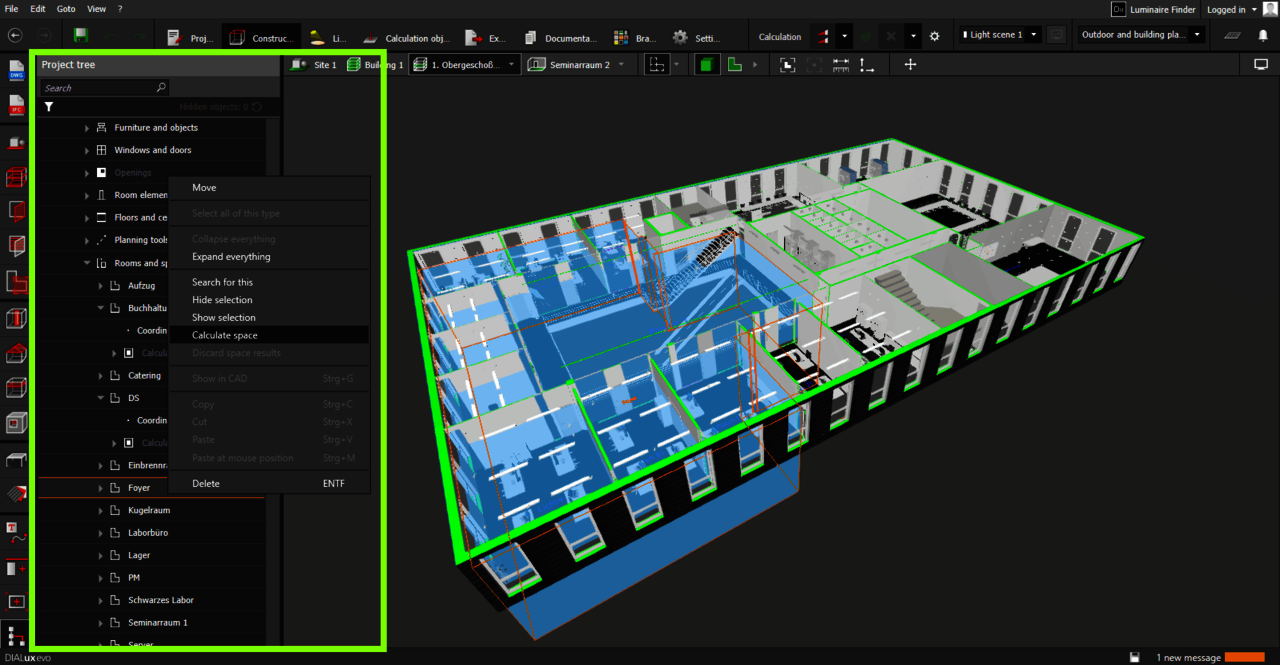
Start room-by-room calculation from the context menu
- The room-by-room calculation can be started by right-clicking on a room, both in the CAD and in the project tree.
- Results of individual rooms can be discarded.
- The number of luminaires to be calculated is displayed.
Status display in the results monitor
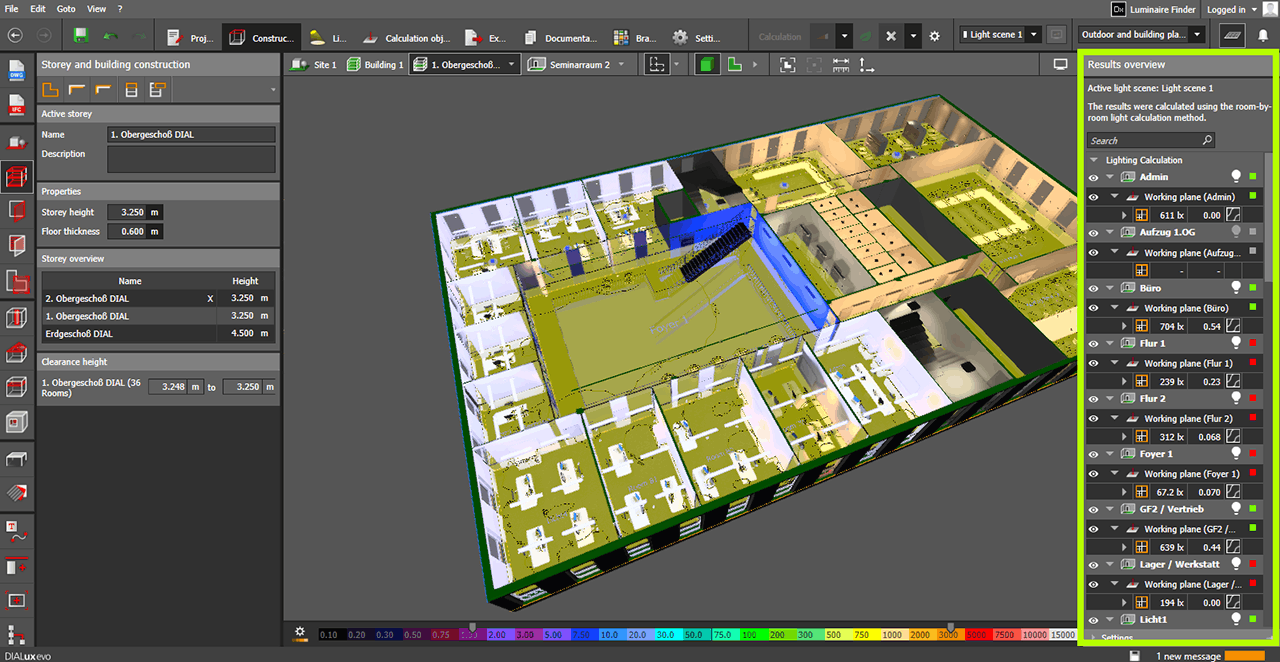
- New icons indicate
whether a room or space has been calculated with the room-by-room method
whether results are current, uncalculated or outdated
New documentation for room-by-room calculations
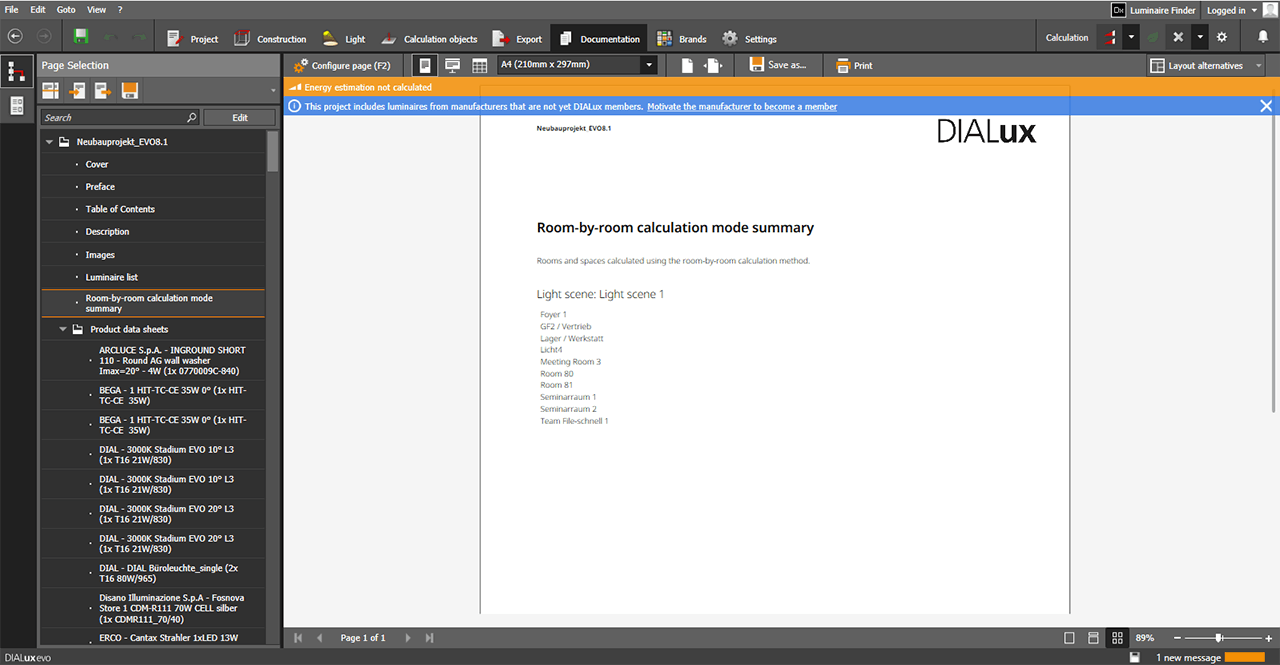
- The new output lists all rooms and spaces that have been calculated using the room-by-room method.
Changes and improvements to known functions
Replacement of context-dependent calculation
- The previous context-dependent calculation has been completely replaced by the new room-by-room method. So the behavior is changing here.
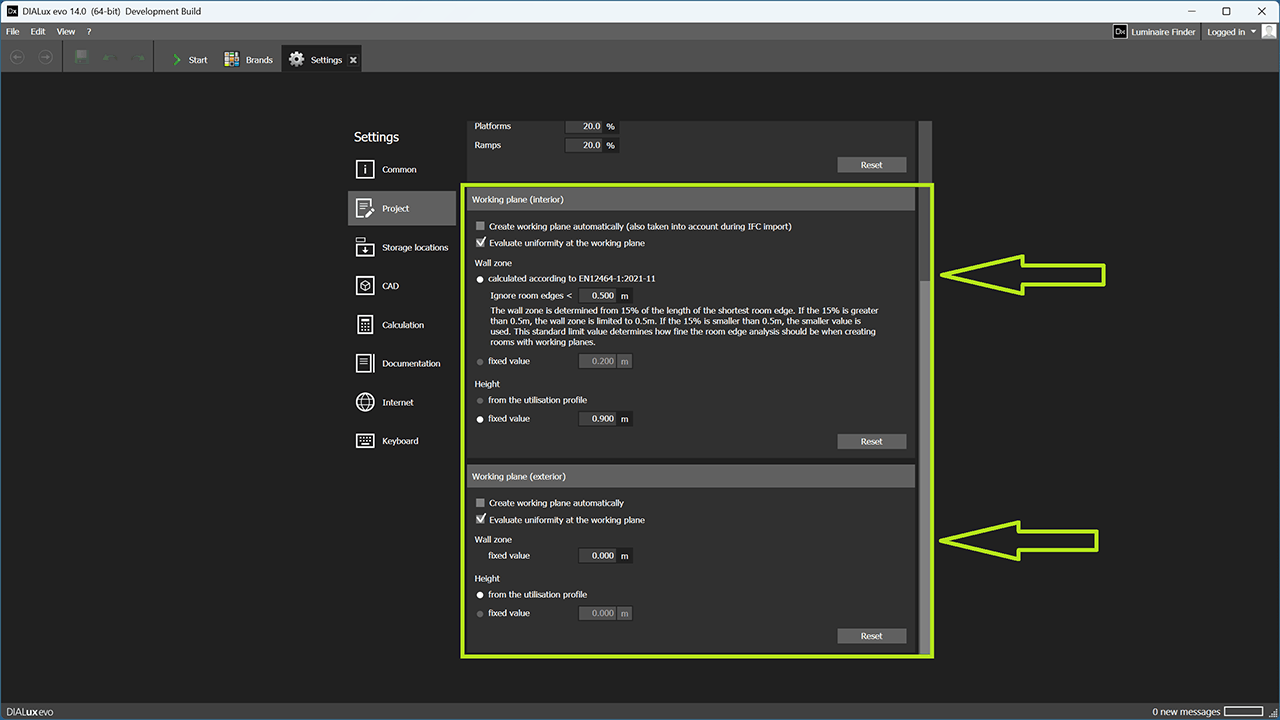
Planners will be able to set the default values for wall zone and height separately for working planes.
Better space views in 3D and 2D with scope boxes (section boxes)
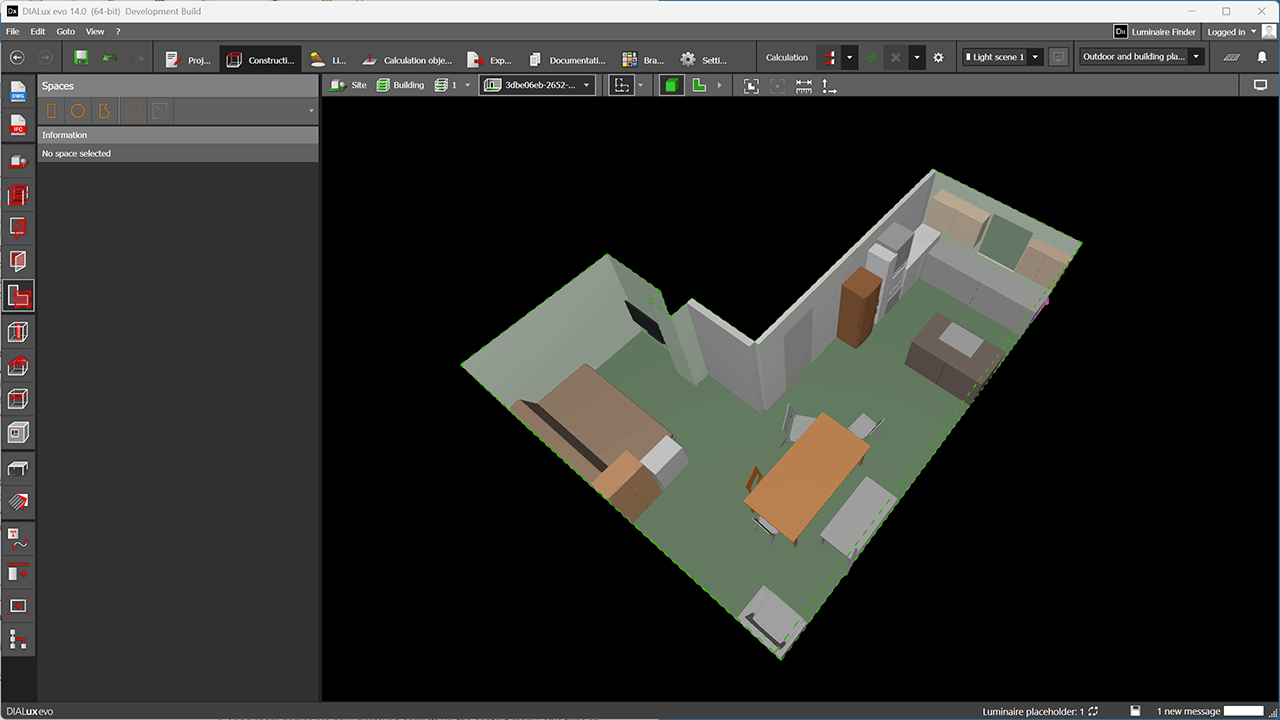
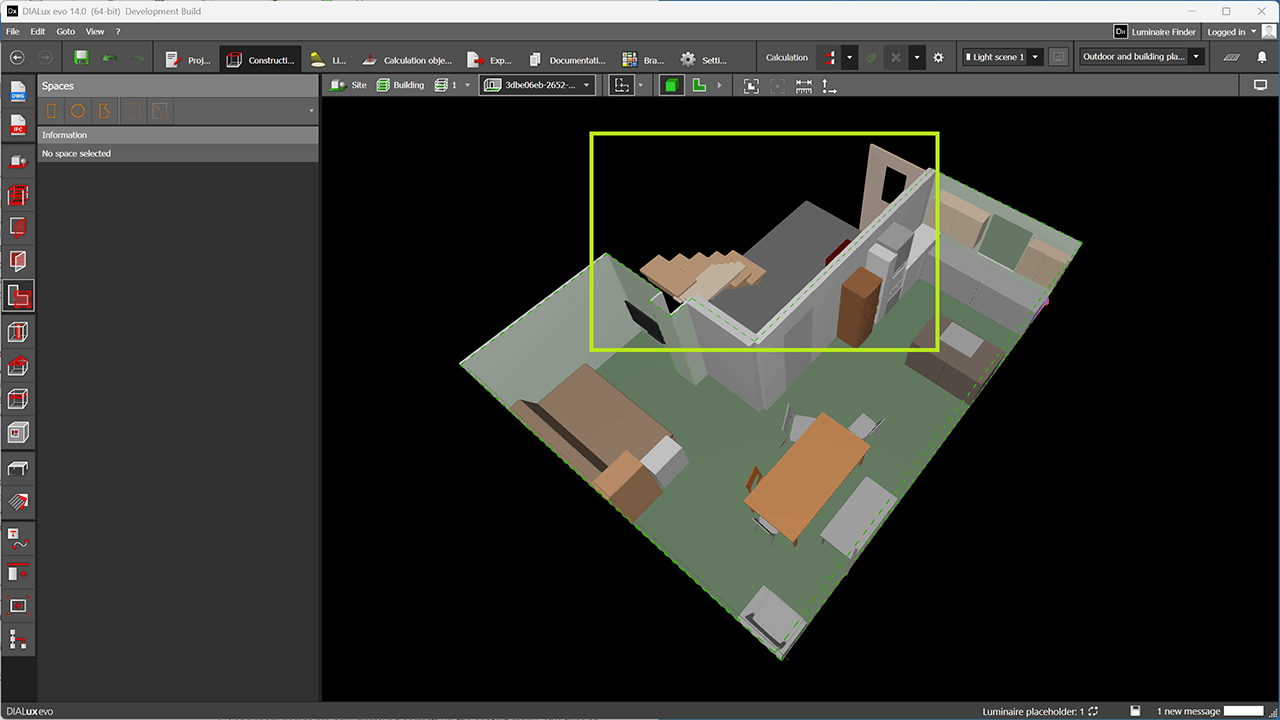
- It often happens that component surfaces extend beyond the boundaries of a space view and are disturbing. The scope box has been developed to address this issue. Everything that is located precisely within a space volume is visible, while everything that extends beyond it is hidden. This results in improved working views.
- The scope box is always activated when switching into a space view.
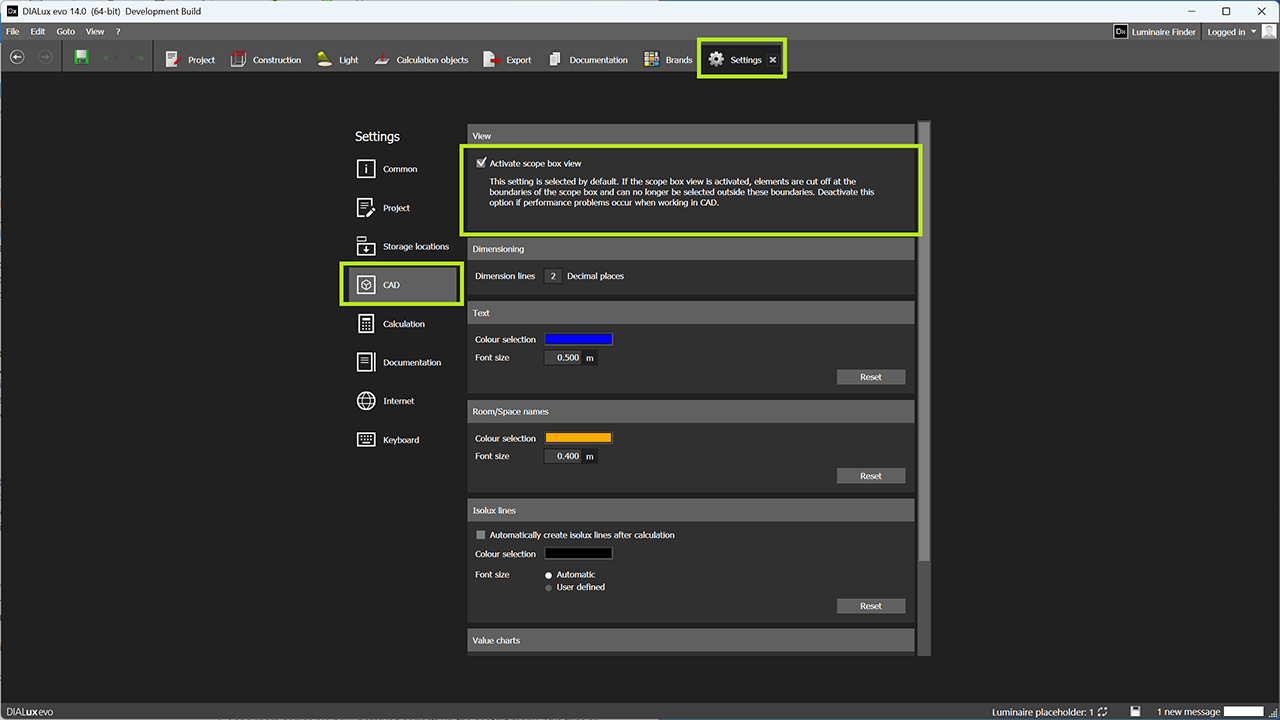
- The function can be switched on and off via programme settings.
- It is activated by default from version 14 onwards.
BIM workflow improvements
- If an IFC model already contains luminaires, DIALux imports these luminaires as placeholder luminaires.
- The aim is that a designer replaces all placeholder luminaires with fully-fledged real luminaires from the luminaire list
- These luminaires have a distinctive colour so that they can be quickly identified.
- The appearance of the placeholder luminaires corresponds to the description in the IFC model.
- The status bar and results overview shows how many such luminaires are still in the model.
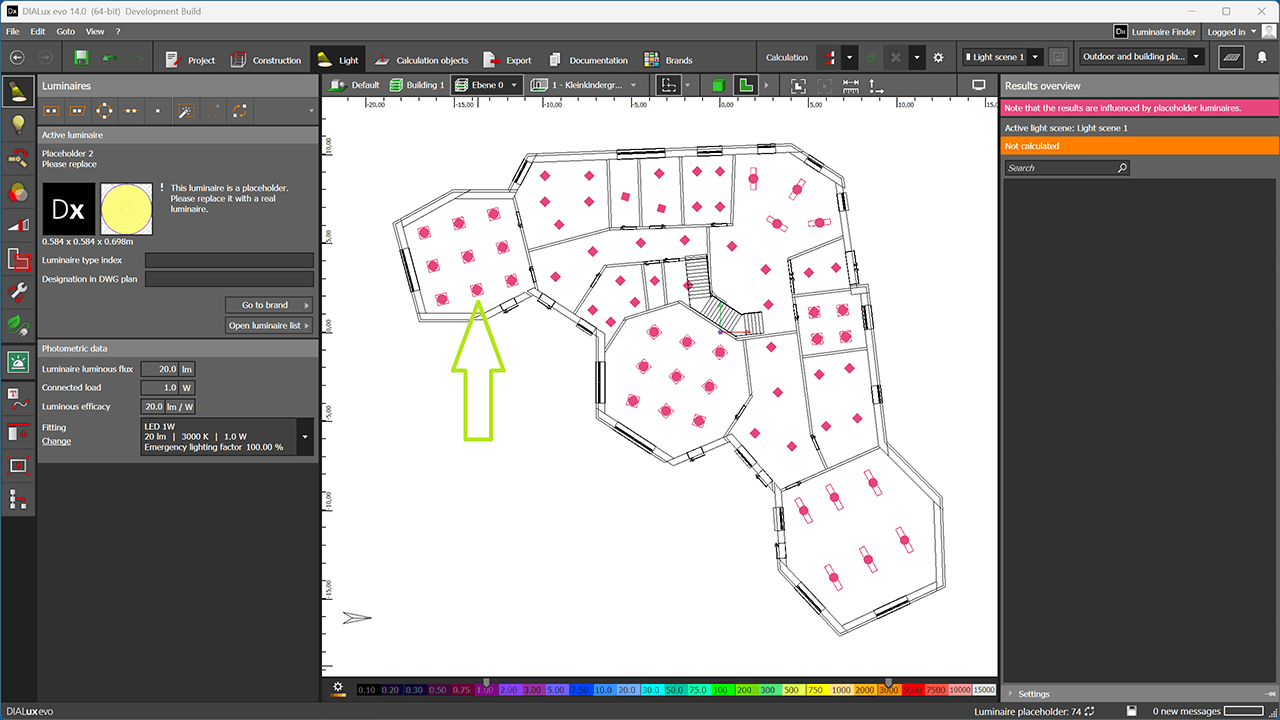
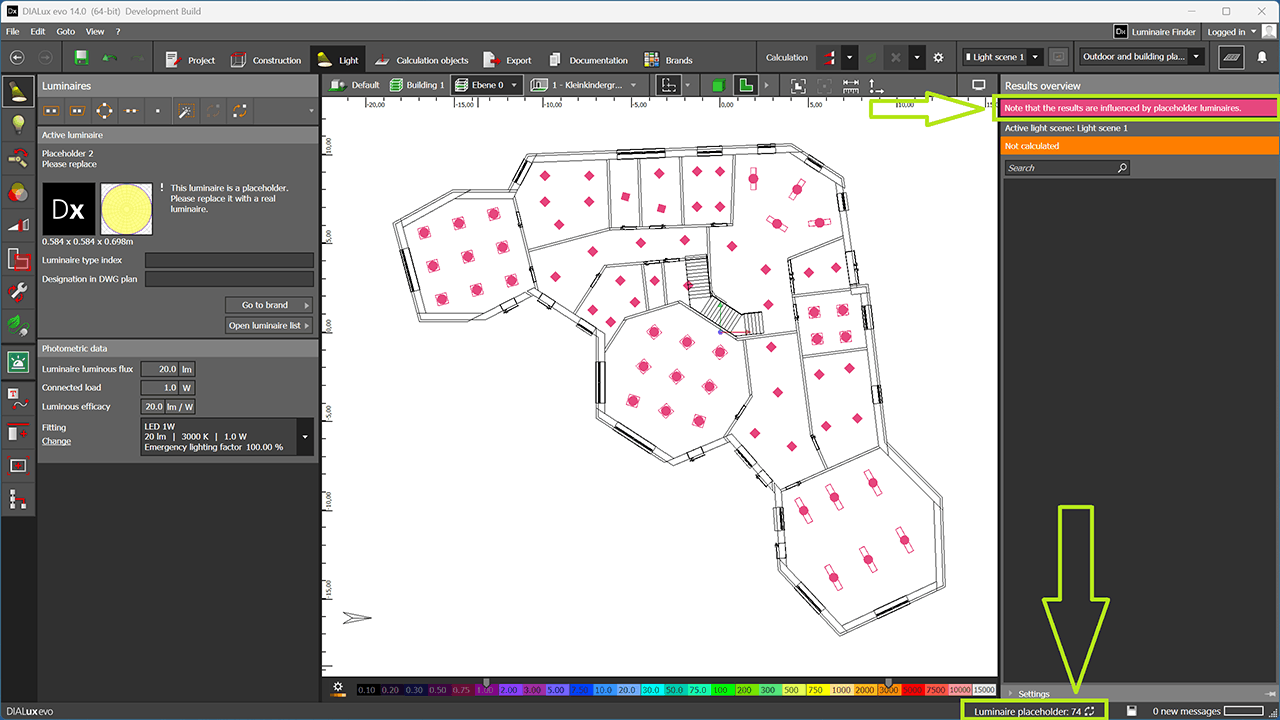
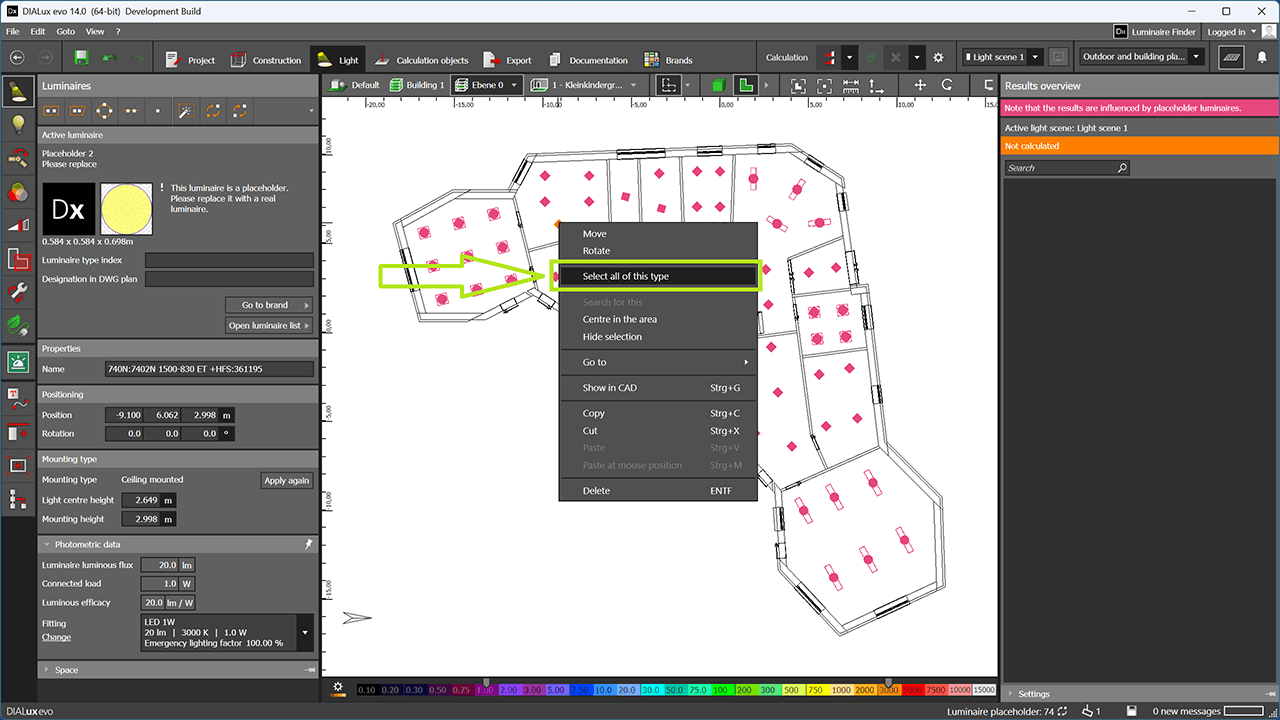
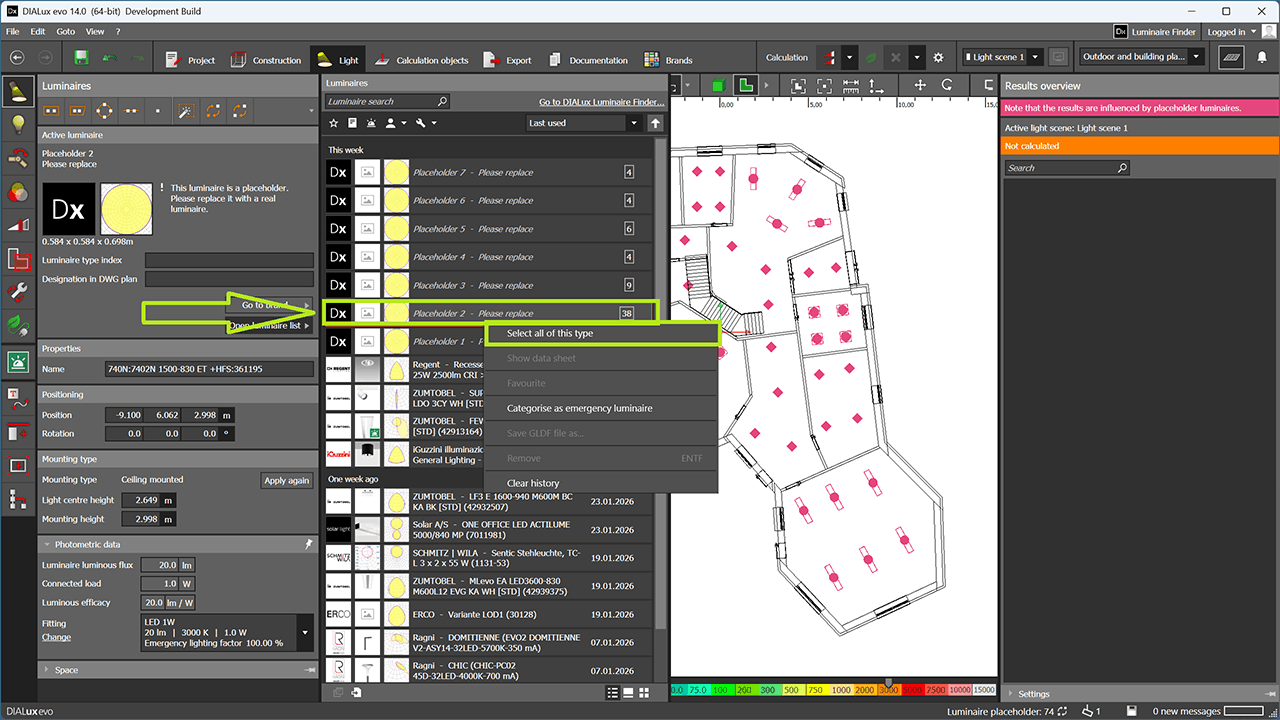
- Easier way to select luminaires of the same type by right-clicking on a luminaire itself in the CAD or by right-clicking in the luminaire list.
- DIALux can recognise its exported luminaires in the IFC model when importing the model later again from the luminaire list and use them immediately. Luminaires are therefore no longer simple 3D objects, as in DIALux 13.2.
- In addition, DIALux also exports and imports the selected fittings for each individual luminaire.
Bugfixes
- The luminaire article number is now displayed in the luminaire history.
- Long room names are now displayed correctly in the context menu. This fixes an issue where the luminaire search did not work correctly.
- An issue with EN 12464 task areas in areas located within rooms has been fixed.
- Various security vulnerabilities have been fixed.
- An issue with the optimization of a road lighting arrangement has been fixed.
- Missing text in the Dutch translation has been added.
- An error in the French translation has been fixed.
- An issue with overly long room names has been fixed.
- An issue with the display of article numbers has been fixed. Article numbers can now also be found for luminaires that are not used in the current project.
- An issue occurring when starting DIALux evo has been fixed.
- An issue when discarding results of uncalculated lighting scenes has been fixed.